Build / Web apps
Mobile address checker (PWA)
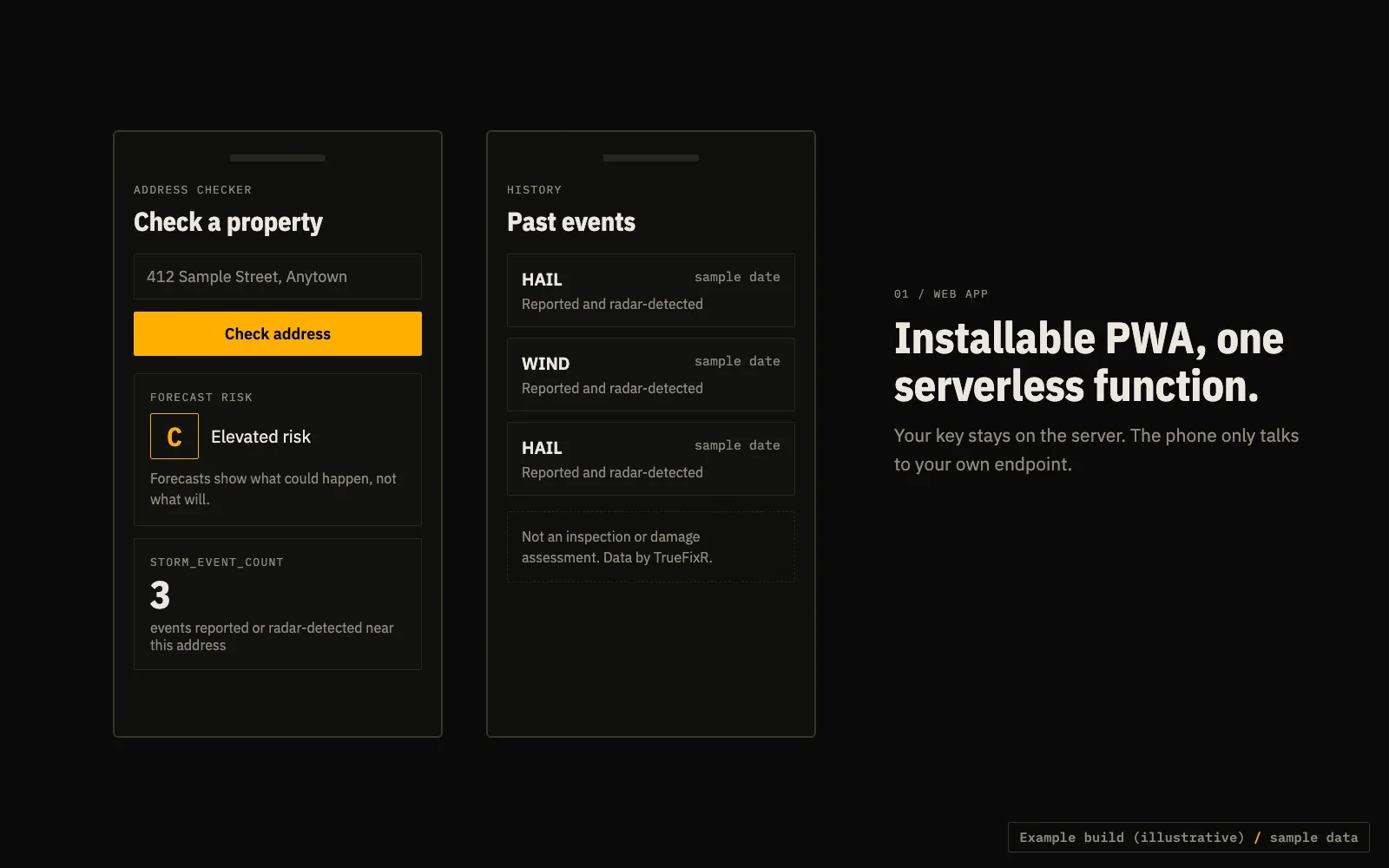
Type an address, get its county forecast grade and how many storm events hit it before.
TypeScriptPWAEdge function
What it does
A small installable web app. The phone sends a latitude and longitude to your edge function. The function calls the API with your key and returns the forecast risk and the count of past storm events at that property.
- Geocode the typed address to lat and lon with whichever geocoder you like, then call your function.
- Show the line: not an inspection or damage assessment.
API calls
Set your key once: export TFX_KEY=tfx_live_.... Free previews need no key.
One property: history plus current forecast
curl -H "Authorization: Bearer $TFX_KEY" "https://data.truefixr.com/v1/data?dataset=address&lat=32.78&lon=-96.80"
Code (TypeScript)
Cut down on purpose. Print the real response keys on your first call before you map fields.
interface Env { TFX_KEY: string }

export default {
  async fetch(req: Request, env: Env): Promise<Response> {
    const u = new URL(req.url);
    const lat = u.searchParams.get("lat");
    const lon = u.searchParams.get("lon");
    if (!lat || !lon) return new Response("lat and lon required", { status: 400 });

    const api = new URL("https://data.truefixr.com/v1/data");
    api.searchParams.set("dataset", "address");
    api.searchParams.set("lat", lat);
    api.searchParams.set("lon", lon);

    const r = await fetch(api, { headers: { Authorization: `Bearer ${env.TFX_KEY}` } });
    return new Response(r.body, {
      status: r.status,
      headers: { "content-type": "application/json", "cache-control": "private, max-age=300" },
    });
  },
};